

State Eifelgymnasium Neuerburg

State Eifelgymnasium Neuerburg
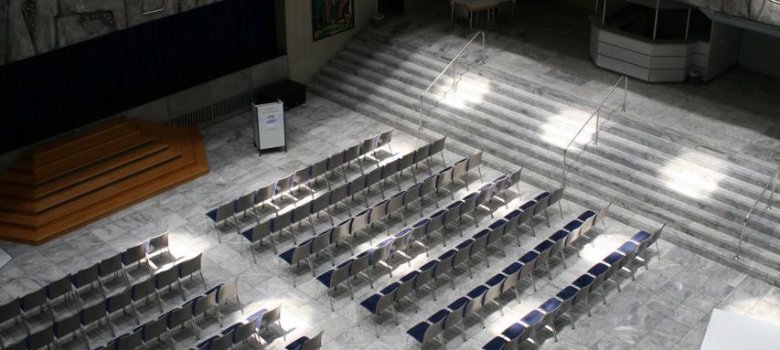
Interior view of the Eifel-Gymnasium Neuerburg


Welcome to the Eifelgymnasium state grammar school in Neuerburg

The Staatliches Eifel-Gymnasium und Eifel-Kolleg Neuerburg is a state grammar school with an affiliated boarding school and offers a wide range of educational paths up to the Abitur. Situated in the middle of the Eifel Nature Park, the approximately 450 pupils and students benefit from modern facilities and a wide range of leisure activities. The family atmosphere encourages respectful interaction and individual support. In addition to the grammar school course from year 7 onwards, the Eifel-Kolleg also offers adults the opportunity to acquire a higher education entrance qualification via the second-chance route.


Help with accessibility

  • General

    We endeavor to make our websites accessible. You can find details on this in our accessibility statement. You can send us suggestions for improvement via our feedback form Report accessibility.

  • Font size

    To adjust the font size, please use the following key combinations:

    Larger

    ⌘command
    +

    Smaller

    ⌘command

    Larger

    Ctrl
    +

    Smaller

    Ctrl
  • Keyboard navigation

    Use TAB and SHIFT + TAB to navigate through next/previous links, form elements and buttons.

    Use ENTER to open links and interact with elements.

  • Contrast mode

    Press the following key combination to reduce or increase the contrast:

    Enlarge

    ⌃control
    ⌥option
    ⌘command
    .

    Decrease

    ⌃control
    ⌥option
    ⌘command
    ,
    Note: The shortcuts must be activated in the system settings of the operating system.

    Press the left ALT key + left SHIFT key + PRINT to quickly switch the high contrast mode on or off.

  • Invert colors

    Press the following key combination to switch color inversion on and off:

    ⌃control
    ⌥option
    ⌘command
    8
    Note: The shortcuts must be activated in the system settings of the operating system.

    First activate the screen magnifier and then switch the color inversion on and off with the following key combinations:

    1. screen magnifier

    +

    2. invert colors

    Ctrl
    Old
    I
  • Screen magnifier

    Press the following key combinations to use the screen magnifier:

    Switch on/off

    ⌥option
    ⌘command
    8

    Enlarge view

    ⌥option
    ⌘command
    =

    Reduce view

    ⌥option
    ⌘command
    Note: The shortcuts must be activated in the system settings of the operating system.

    Switch on / Enlarge view

    +

    Reduce view